
Pre-built integrations
Instead of building a tool by hand, you can create ready-made tools for a common provider in a few clicks. On the Tools screen, click Integrations.
Browsing the catalog
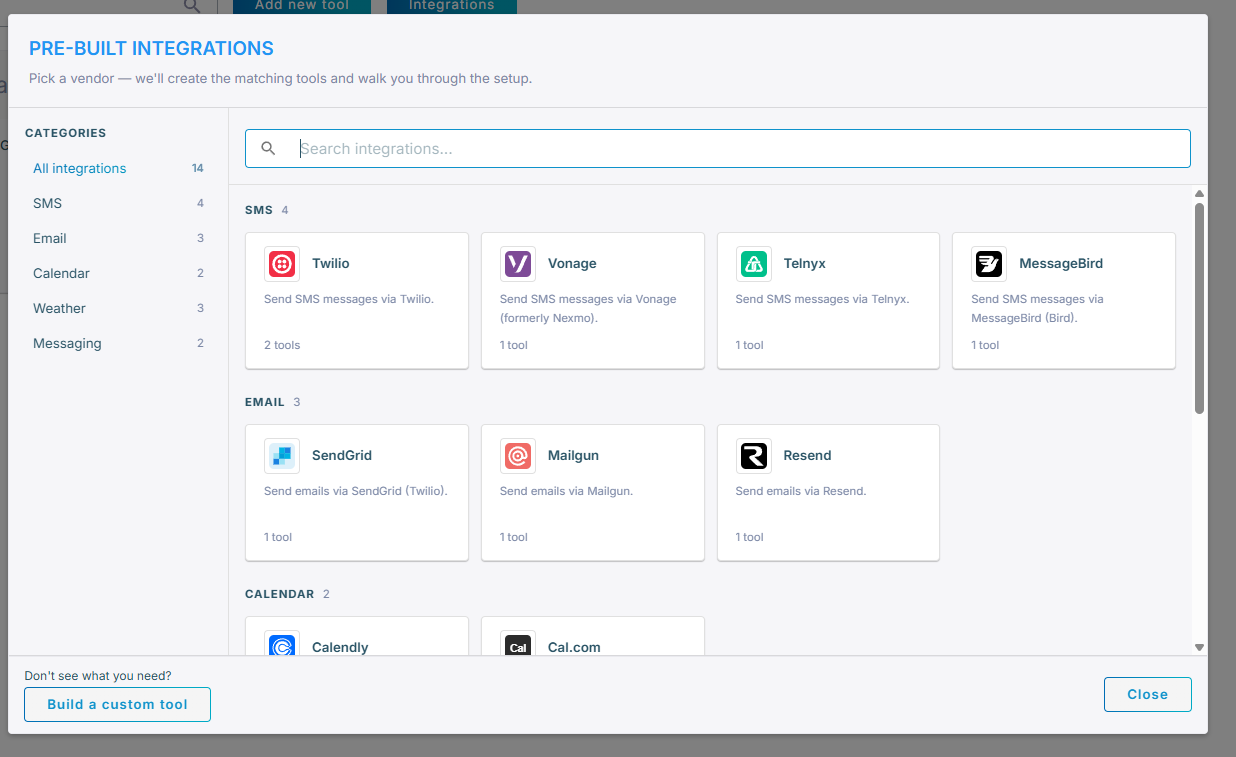
The Pre-built integrations dialog lists providers grouped by category — such as Calendar, CRM, Email, Messaging, SMS, Weather and Web Search. Use the Categories list on the left or the search box to find a provider. Each card shows the provider, a short description, and how many tools it will create.
The set of available providers grows over time, so browse the catalog to see what is currently offered. If none of them fit, click Build a custom tool to open the regular tool editor instead (see Create a customer-defined tool).
Setting up an integration
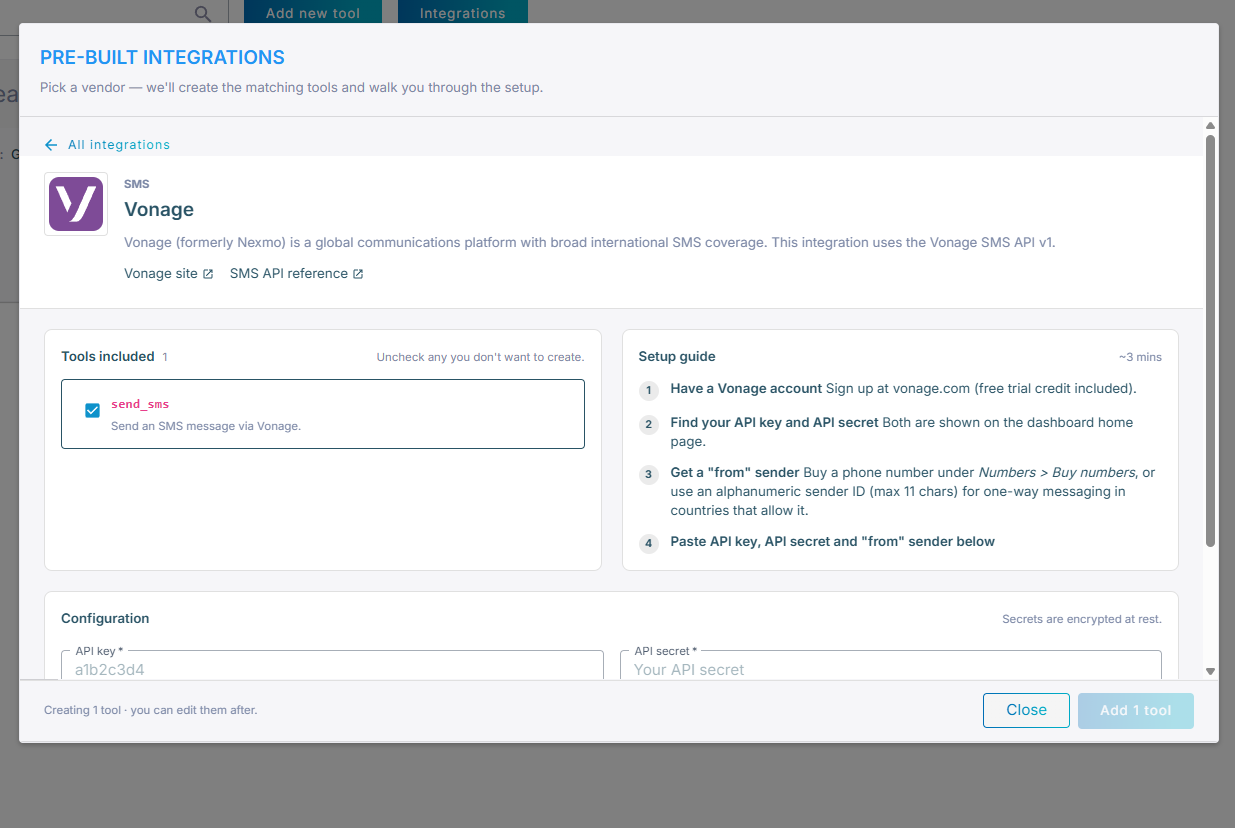
Click a provider to open its setup page, which has three parts:
- Tools included – the tools that will be created for this provider. Uncheck any you do not want.
- Setup guide – step-by-step instructions for obtaining the required credentials, with links to the provider's site and API reference.
- Configuration – the provider-level values (such as an API key, API secret, or "from" number) used to fill in the tools. Secret values are encrypted at rest.
When you are done, click Add N tool. The selected tools are created in your account with your configuration values already filled in.
After installation
The created tools are ordinary customer-defined tools — you can open, edit, test, clone or remove them from the Tools screen, and you add them to an agent on its Tools tab the same way (see Using tools).
The provider configuration you entered is substituted into the tools when they are created. To change a value afterwards, edit the relevant tool — for example, update its variables or request fields.